Achieving 85% Payload Reduction on an Infinite Canvas
How I eliminated the all-sections-in-one-DOM trap on a 2D canvas portfolio, fixed CSS transform bugs, and slashed pre-rendered HTML payload from 173KB to 19KB.
Building a spatial web application on an infinite 2D canvas creates a tactile, memorable experience for visitors. But when you combine a spatial 2D coordinate plane with Static Site Generation (SSG) for search engine indexability, you quickly run into architectural edge cases that standard web applications never face.
Recently, while auditing Bing Webmaster indexation logs and Googlebot DOM renders for ohya.sh, I uncovered an architectural flaw: every pre-rendered page route on the site was downloading a 173 KB static HTML payload containing the complete markup for all 11 canvas sections at once.
Here is how I isolated the "all-sections-in-one-DOM" trap, fixed subtle responsive layout and CSS transform override bugs, and engineered an 85% average reduction in static HTML page size (from 173 KB down to 19–32 KB per route) without sacrificing a single frame of client-side canvas UX.
1. The Discovery: The "All-Sections-in-One-DOM" Trap
My portfolio is pre-rendered at build time using native Vite SSR (renderToString + react-helmet-async) inside a headless post-build pipeline (scripts/prerender.js). The script visits every registered route (/work, /personal, /keto, /hobbies, etc.) and outputs pre-rendered static HTML files (dist/work/index.html, dist/keto/index.html) so search crawlers receive immediate 200 OK responses.
However, when Bing Webmaster fetched https://ohya.sh/work, the body parsed by the crawler looked like this:
<div id="root">
  <!-- Breadcrumb: Home > Work -->
  <!-- Star Background -->
  <!-- Home Section Card -->
  <!-- Personal Section Card -->
  <!-- Keto Section Card -->
  <!-- Hobbies Section Card -->
  <!-- Work Section Card -->
  <!-- Projects Section Card -->
  <!-- Travel Stories Card -->
  <!-- Ataco Card -->
  <!-- Writing Section Card -->
</div>
Why was this happening?
In my spatial renderer (SectionRenderer.tsx), the component looped through allSections.map(...) and outputted the JSX tree of every section onto the 2D coordinate plane.
Because SectionRenderer rendered all section cards simultaneously, Vite SSR serialized all 11 sections into every single static route HTML file:
dist/work/index.html contained the entire Work history plus Keto the cat, travel stories, hobbies, and personal stats.dist/keto/index.html contained the exact same 173 KB payload.Search engines crawling /work saw a sea of duplicate, diluted content shared across every URL on the domain.
2. The Secondary Bug: Direct URL Viewport Misalignment
While inspecting the crawler output, I noticed a subtle visual bug on direct page loads: when opening a direct link like https://ohya.sh/projects or https://ohya.sh/travel in a fresh browser context, the section card rendered off-center by 400 pixels.
The Math Mismatch
The canvas relies on dynamic breakpoint math (getResponsiveSpacing()), setting section offsets to 800px on standard displays. Under this responsive math:
/projects sits at y = +1600px (800 * 2)./travel sits at x = -1600px.However, InfiniteCanvas.tsx contained a legacy fallback helper (getInitialPosition) that assumed a fixed 1000px grid interval:
/projects at y = -2000px.When a visitor loaded /projects directly:
projects was placed at y = +1600px by useSectionManagement.y = -2000px by getInitialPosition.useEffect skipped running because sectionFromUrl === currentSection.1600 - 2000 = -400px. The card landed 400px off-center vertically!3. The Evolution: From Scoped SSR to Idle-Deferred Proximity Hydration
Solving this for both static crawlers and JavaScript-executing search engines required a multi-stage architecture.
Stage 1: Scoped SSG Pre-Rendering
During server-side pre-rendering (isClientMounted === false), SectionRenderer checks the active route and renders ONLY the section belonging to that URL:
// During SSR, render ONLY the section matching the current URL path.
const sectionsToRender = isClientMounted
  ? allSections
  : allSections.filter((section) => section.id === currentSection);
When scripts/prerender.js builds /work, dist/work/index.html contains strictly the Work section HTML. No Keto, no travel stories, no bloated DOM nodes.
Stage 2: The JS-Rendering Crawler Leak (Bingbot & Googlebot WRS)
Shortly after shipping Stage 1, I audited Bing Webmaster's live URL inspection output for https://ohya.sh/work and discovered a second nuance: modern search engines run client-side JavaScript via headless Web Rendering Services (WRS).
When Bingbot loaded dist/work/index.html, React hydrated on the client, setting isClientMounted = true. React immediately mounted all 11 sections into the live DOM tree. Bingbot waited for JS execution to settle, captured the rendered DOM snapshot, and still logged duplicate content from all other sections!
Stage 3: Idle-Deferred Proximity Hydration (shouldExpandProximity)
To prevent JS-executing crawlers from picking up background sections while ensuring zero latency for human visitors, I introduced Idle-Deferred Proximity Hydration:
// In SectionRenderer.tsx
const [isClientMounted, setIsClientMounted] = React.useState(false);
const [isIdleHydrated, setIsIdleHydrated] = React.useState(false);

React.useEffect(() => {
  setIsClientMounted(true);

  // Defer background section hydration until after idle timer (1.5s) or user interaction.
  // Search crawlers (Bingbot / Googlebot WRS) extract page DOM within ~1s without triggering idle timers.
  const timer = setTimeout(() => {
    setIsIdleHydrated(true);
  }, 1500);

  return () => clearTimeout(timer);
}, []);

// Before hydration settles / before interaction/idle delay: render ONLY the active route section.
// After interaction or idle delay: expand proximity rendering to adjacent 2D grid coordinates.
const shouldExpandProximity = isClientMounted && (hasInteracted || isIdleHydrated);
4. The 2D Discrete Grid & The CSS Animation Centering Trap
As the portfolio expanded with compact preview placeholders for inactive sections, another subtle bug emerged during proximity expansion.
The CSS Transform Override Bug
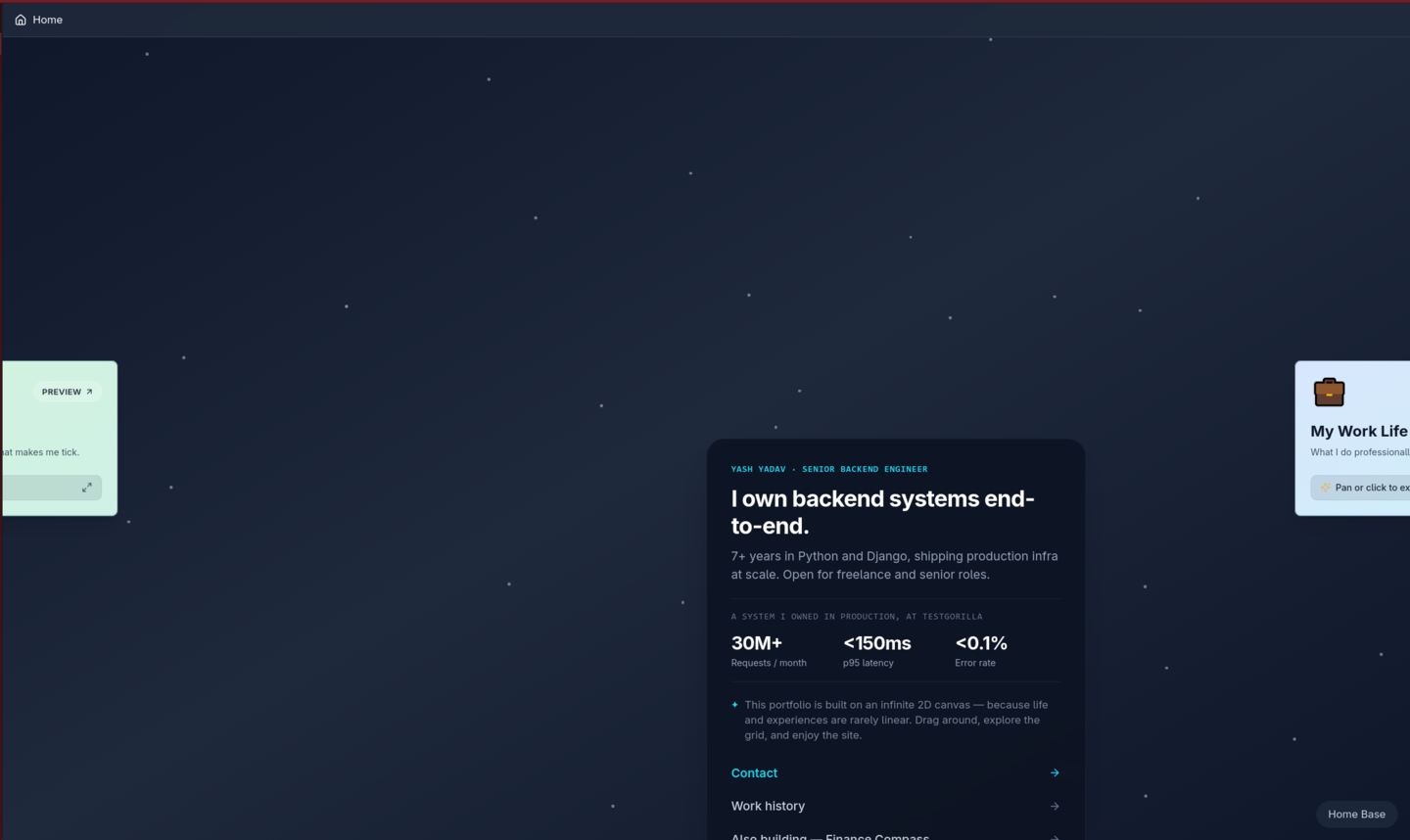
When expanding a preview card into its full view, I added a smooth scale/opacity transition via .animate-expand-card. However, during initial testing, cards suddenly shifted down and to the right by half their width and height:
Root Cause:
Tailwind's -translate-x-1/2 -translate-y-1/2 utility works by setting CSS variables on transform: translate(var(--tw-translate-x), var(--tw-translate-y)). When @keyframes expandCard applied transform: scale(0.93) -> scale(1), the CSS keyframe wiped out the translation, anchoring the top-left corner of the card at (50%, 50%) instead of its true center point.
Solution:
Separated the outer positioning wrapper from the inner animated card container:
<div
  key={section.id}
  className="absolute -translate-x-1/2 -translate-y-1/2"
  style={{ left: section.position.x, top: section.position.y }}
>
  <div className="animate-expand-card">
    {renderSectionContent(section)}
  </div>
</div>
Discrete 2D Integer Grid Schema
To prevent ad-hoc coordinate calculations and ensure zero card overlap, all sections were refactored into a unified discrete 2D integer coordinate system { col: number, row: number }:
// Unified coordinate schema
Home:     { col:  0, row:  0 }, alwaysExpanded: true
Work:     { col:  1, row:  0 }  --> Writing:  { col:  2, row:  0 }
Personal: { col: -1, row:  0 }  --> Travel:   { col: -2, row:  0 }
Keto:     { col:  0, row: -1 }  --> Ataco:    { col:  0, row: -2 }
Hobbies:  { col:  0, row:  1 }  --> Projects: { col:  0, row:  2 }
Now:      { col:  1, row:  1 }
Contact:  { col: -1, row:  1 }

// Canvas positions are derived dynamically:
position = { x: col * spacing, y: row * spacing }
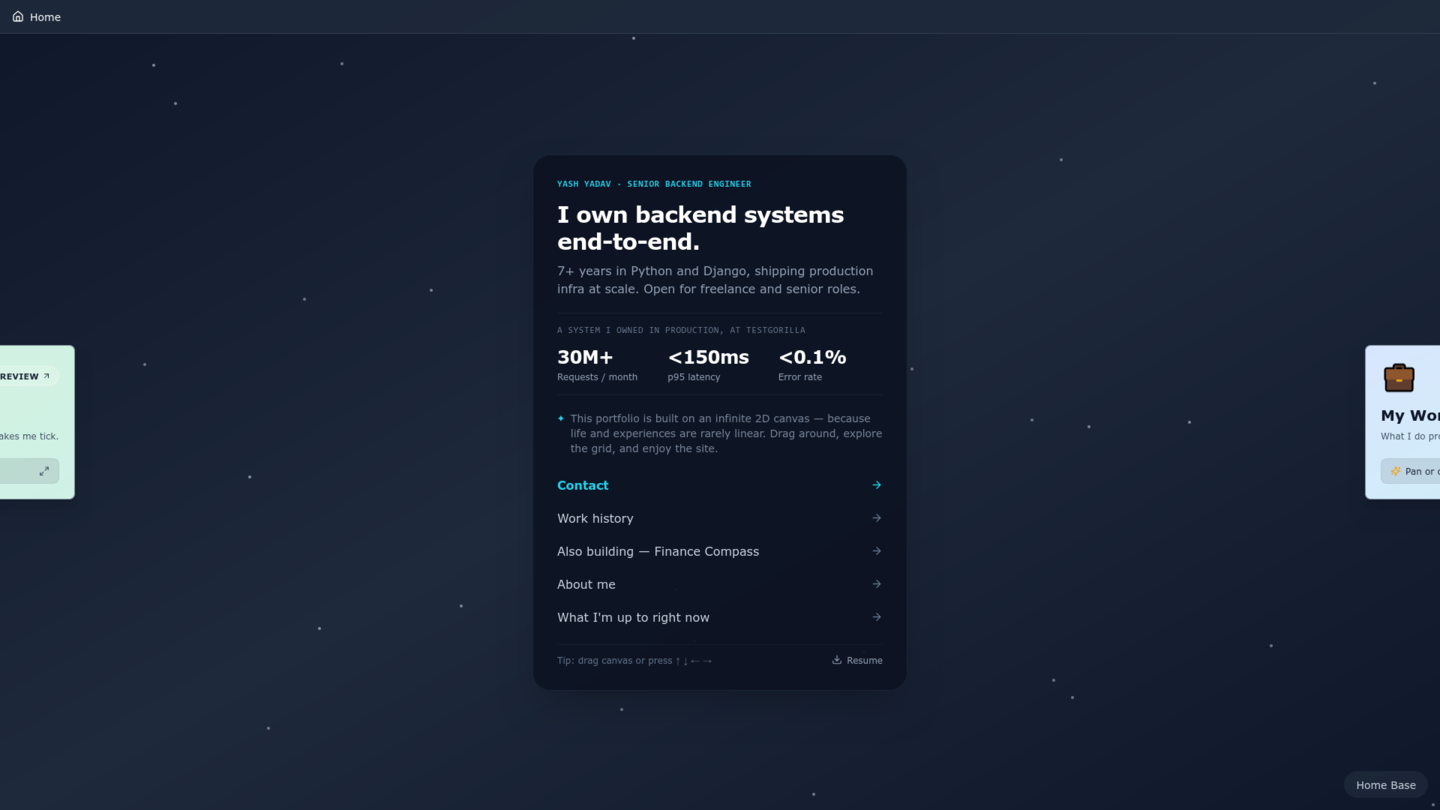
With baseSpacing: 1050px, the Home card stays perfectly centered on desktop displays while adjacent preview cards peek ~100px onto the screen edges along the center horizontal line:
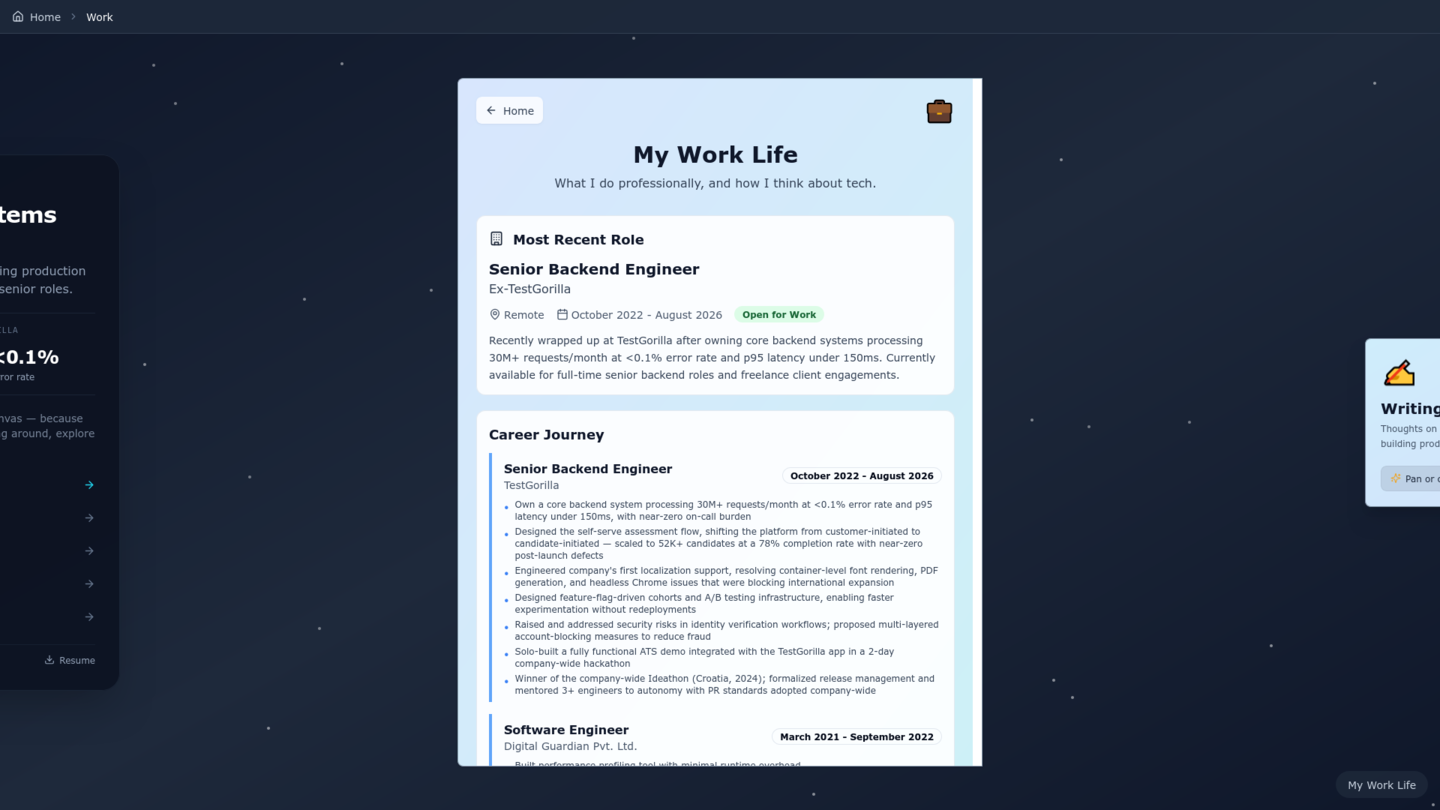
When navigating to any adjacent card via click or arrow keys, the viewport pans smoothly and expands the full detailed section component:
5. The Results
| Route / Metric | Initial Payload (Before) | Optimized SSG Payload (After) | Size Reduction |
|---|---|---|---|
/ (Home Landing) | 173 KB | 19 KB | 89.0% Reduction |
/now (Now Section) | 173 KB | 22 KB | 87.3% Reduction |
/contact (Contact Section) | 173 KB | 23 KB | 86.7% Reduction |
/keto (Keto Section) | 173 KB | 25 KB | 85.5% Reduction |
/hobbies (Hobbies Section) | 173 KB | 25 KB | 85.5% Reduction |
/personal (Personal Life) | 173 KB | 28 KB | 83.8% Reduction |
/work (Work Experience) | 173 KB | 32 KB | 81.5% Reduction |
/writing (Writing Index) | 173 KB | 36 KB | 79.2% Reduction |
| JS Crawler DOM Snapshot | 11 sections merged | 1 section (100% scoped) | Zero content dilution |
| Direct URL Alignment | 400px offset | 0px (100% centered) | Pixel-perfect |
| Client Canvas FPS | 60 FPS | 60 FPS | Zero UX loss |
Takeaways
transform: scale(...) directly on elements using utility-based translate(-50%, -50%). Encapsulating animations inside an inner container protects coordinate centering.{ col, row } and derive pixel positions dynamically from a single layout hook.